Bio Page insights
- 412 Visited Bio Page
- 96 Tapped Book Online
- 31 Booked
- 27 Came in
New: every part of your salon, talking to each other.
See how it worksMarketing, done for you
Our marketing team runs your Bio Page, your first-visit offer, your promos and your Google profile. Hayven is also your calendar, so you see every client who booked and came in. No guessing.
Jess · Gel-X Full Set · Helen · Sat 2:00 PM
From Gel-X Fall Special New Client Offer: 20%
How it works
You don’t need to know marketing. Our team does the work inside Hayven. You see the results where you already look: your calendar.
One call. Your best services, your slow days, and the deal you’re happy to give.
Your Bio Page, first-visit offer, promo pages, Facebook and Instagram ads, follow-up texts and Google profile. The marketing texts are part of the package.
Bookings from our work are marked on your calendar. Reports shows this week’s results.
Done-for-you marketing is an optional add-on. Ask about it on your demo.
Marks each booking “From” the promo that brought it.
Holds the first-visit offer when the client arrives.
Shows the desk the offer, so nobody forgets the discount.
Asks after the visit is Done.
Bio Page
Your salon gets its own web page, like yoursalon.hayven.salon. Clients book, call, text, get directions and see your prices. We set it up in your colors.
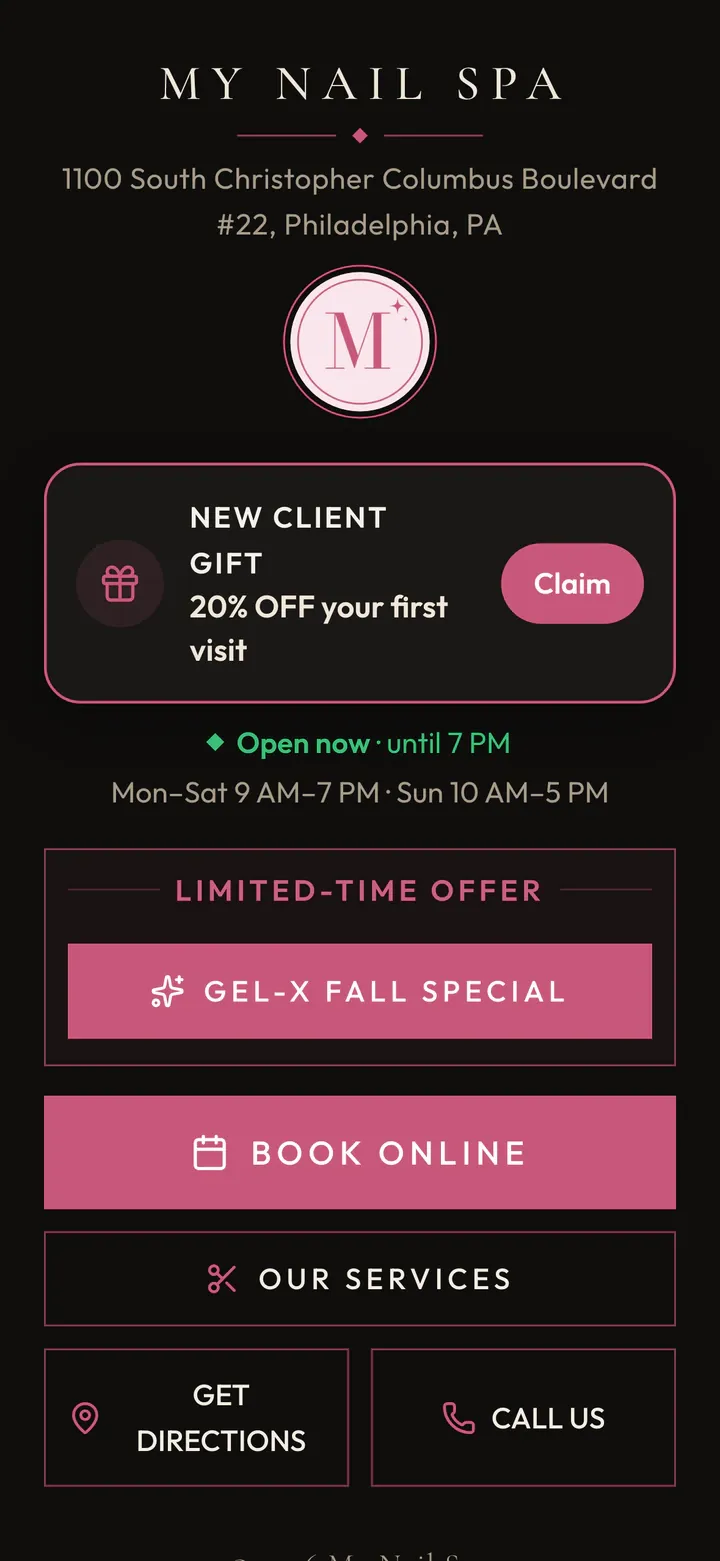
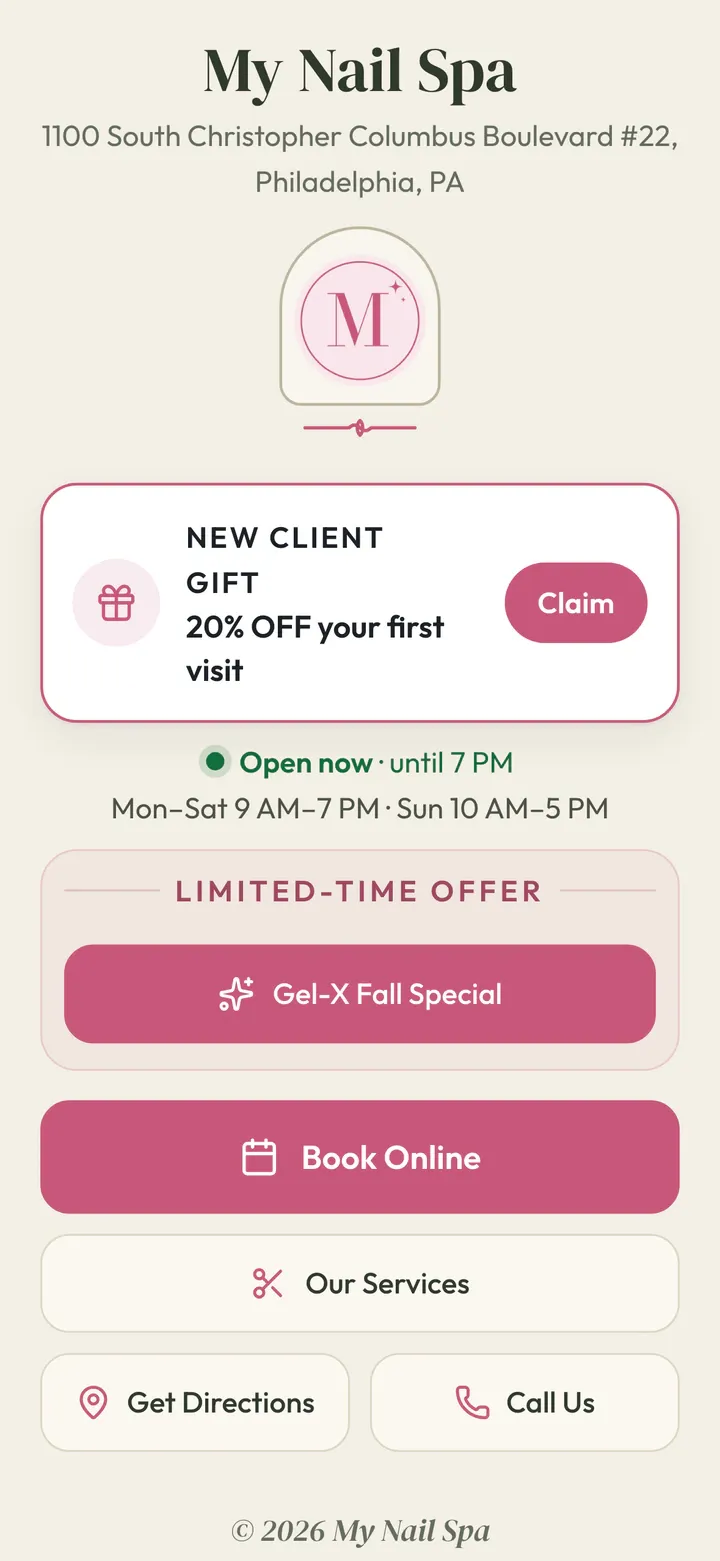
All 8 designs
Most link-in-bio pages stop at clicks. Yours counts all the way to came in, because Hayven is your calendar too.
Bookings made on another booking site can’t be counted.
New Client Offer
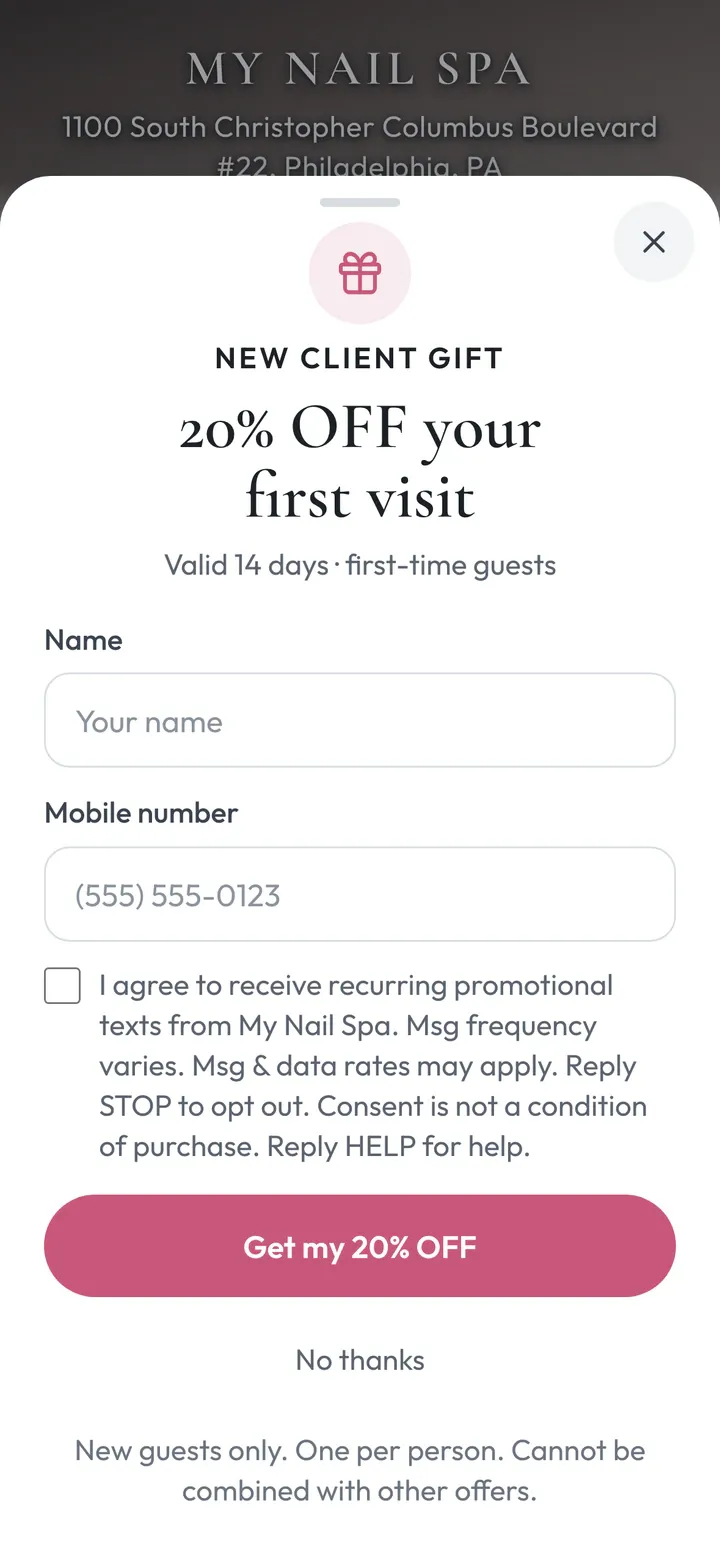
Pick one gift, like 20% off the first visit. New clients claim it with their phone number. Hayven takes it from there, all the way to the chair.
Monday 6:20 PM, Kim finds you on TikTok. She taps “20% off your first visit” on your Bio Page and types her name and mobile. It works on your booking page, a promo page and the check-in iPad too.
“Hi Kim! Your 20% OFF first visit at My Nail Spa is ready: … When you come in, just use this phone number to get your 20% OFF.”
Tuesday: “Kim, your 20% OFF at My Nail Spa is waiting.” Wednesday she books Thursday 4:00 PM with Megan. The reminders stop right there.
Thursday 3:56 PM she checks in with her phone. Her phone shows a live “Checked in today · 3:56 PM” screen with a ticking clock, so an old screenshot can’t fake it. When her visit is marked Done, the gift is used.
A gift icon on the calendar. “New client · 20% OFF” on Turns, “20% OFF New Client Offer” in the check-in alert. Ring it up at your POS.
Example See who signed up, who booked, who checked in and who used it. “Needs a nudge” shows who hasn’t booked yet.
Refer a Friend
Every client gets their own invite link. A friend who opens it gets your first-visit offer. When the friend comes in, your client gets $10 off their next visit. No codes, no points, nothing for your desk to remember.
3 days after Tiffany’s visit, Hayven texts her a personal invite link. She shares it from her own phone. Hayven never asks her to type a friend’s number.
Olivia opens the link: “Tiffany sent you a gift.” The page says plainly that Tiffany gets $10 when Olivia comes in (US advertising rules ask for that). Olivia signs up, gets the same first-visit pass by text, and books online.
Friday 10:56 AM, Olivia checks in at the desk. When her visit is marked Done, her offer is used, and Tiffany gets a text that she has $10 off her next visit. At Tiffany’s next visit, the desk sees a heart on her calendar card and on Turns: “Take $10 off at your POS.” Mark the visit Done, and the reward is used. “Not today” saves it for later.
Hayven knows every client by phone. A friend who has been in before, or a client who refers themselves, never earns a reward. And a reward only becomes ready after the friend has really been in your salon.
Works because Hayven already runs your first-visit offer, your check-in and your calendar and Turns.
Promo campaigns
Back to School, the holidays, a grand opening, a giveaway. We pick the occasion. Hayven builds the page with your logo, your Google reviews and a sign-up form.
A welcome text right away. A friendly nudge if they haven’t booked. A reminder before it starts and a last chance before it ends, if you want them. Once they book, the texts stop. Every text sits in the client’s conversation in your Inbox.
If they text back, the automatic texts step aside, so a person can take over.
Easier to run
Results
Clicks don’t pay the bills. Hayven counts the clients who booked, who came in, and what their visits were worth.
When someone who signed up books with the same phone within 30 days, the calendar marks it “From Gel-X Fall Special”. Your desk can change it or add it, like for a walk-in who mentions the promo.
Jess · Gel-X Full Set · Helen · Sat 2:00 PM
From Gel-X Fall Special New Client Offer: 20% Came in · 2:45 PM
Source
Gel-X Fall Special · Meta ads · Instagram
+$48.00 est. to campaign
Hayven tells a paid Facebook or Instagram ad apart from a free post, your Bio Page, Google or a QR code. Each person gets one source, so the numbers add up.
A Comment → DM message counts as its own source too.
“Came in” means the visit was marked Done. When you check out on your own POS, Hayven adds up your menu prices for finished visits, minus any offer. That’s why it says “Est.”
You see if a promo found new faces or just your regulars.
For every $1 spent on ads, how many dollars came back in visits.
3.1× Example $1,000 on ads → $3,100 in visits
Hayven counts only the people who came through your ads, so free posts and your Bio Page don’t puff up the number. Your Facebook and Instagram ad spend comes in by itself every day. Hayven only reads it. It never changes your ads.
Other ad spend? Our team adds it by hand.
One page answers four questions: Is it working? Where did people come from? What did it earn? What should we do next?
Gel-X Fall Special Working
Next step: 38 people signed up 7+ days ago and haven’t booked.
ExampleCompare all your campaigns in one table, and download it as a spreadsheet (CSV).
When you run Facebook or Instagram ads, Hayven tells Meta who signed up, who booked and who actually came in. Then Meta can look for more people like them. We set it up for you (it’s called the Meta Pixel and Conversions API).
If your Facebook tracking stops working, Hayven shows a “needs attention” banner, and you and our team get an email.
Example What Hayven tells Meta
Works best when clients book on your Hayven booking page. Booked another way? Add the visit to your Hayven calendar with the same phone number, and it still counts.
Google reviews
About an hour after a visit is marked Done, Hayven texts the client a link to your Google review page, while the visit is still fresh.
Hi Jess! Thanks for visiting My Nail Spa. If Helen did a great job, a quick Google review would mean a lot to us: …
Anything not right? Just reply to this text.
Best Gel-X I’ve had. Helen is so careful.
A 1–3★ review lands in “Needs attention”, and you get an email.
| Tech | Asked | Reviews | Average stars |
|---|---|---|---|
| Helen | 24 | 9 | 4.9 |
| Megan | 18 | 6 | 5.0 |
| Thy | 15 | 4 | 4.8 |
Google Ranking
When someone nearby searches “nail salon near me”, where are you? Every week Hayven checks 49 spots around your salon and shows you on a map.
Hayven scores it from 0 to 100 with 17 checks in 4 groups: found for “nail salon”, reviews, photos and posts, right info and easy booking. Then it writes the fixes: hours that match your real hours, your services with prices, a description, your booking link. You approve. Hayven updates Google. Your name and address are never changed for you.
68 Profile score out of 100 Example
Upload salon photos once. Hayven keeps the good ones (nail close-ups, your salon, techs at work), skips flyers and blurry shots, and posts one to Google every Monday and Thursday. It also writes 1–2 Google posts a week about your promos and services. You see them days ahead and can change or remove any.
Nobody can promise you the #1 spot. Hayven does the steady work that helps: correct info, fresh photos, more reviews. And you see your map every week.
Leads & texting
Leads are people who signed up for a promo or your first-visit offer. Hayven keeps one row per person, even if they signed up twice.
New lead · Gel-X Fall Special · Meta ads · Instagram Example
| Lead | Source | Result |
|---|---|---|
| Jess phone ending 4417 | Meta ads · Instagram Gel-X Fall Special | Came in Oct 10 · $48.00 |
| Kim phone ending 2231 | Bio Page ← TikTok New Client Offer | Booked · Thu, Oct 15 · 4:00 PM |
| Nancy phone ending 7782 | Meta ads · Facebook Back to School | No-show Oct 6 Needs follow-up |
| Ashley phone ending 3390 | Instagram Gel-X Fall Special | Not booked Can’t text · texted STOP |
Example
450 people
Your number can send about 300 marketing texts a day, so this goes out over 2 days.
Missed a call? Hayven texts the caller your booking link.
See how missed-call texts workPrizes
You run the giveaway on Instagram or Facebook. Give the winner their prize in Hayven. Hayven texts them a prize card, shows your desk when a free visit is ready, and marks it used when the visit is Done.
Two ways to give the same prize:
Like 1 free pedicure every month for 12 months. Each month’s free visit is ready that month.
Tiffany L. · 1 free Gold Pedicure a month
ExampleOn your calendar
Tiffany · Gold Pedicure · Helen · Sat 11:00 AM
Prize winner · free October
Like 7 free seasonal pedicures this year. Use them any month, one per month. Hayven sends one reminder before the prize runs out. Your desk sees “Free · 4 of 7”, so nobody has to count.
Tiffany L. · 7 free seasonal pedicures
ExampleAt your front desk
Free · 4 of 7Prize texts go out only after your desk confirms the winner agreed to them. You run the giveaway and choose the winner. Hayven keeps track of the prize.
Why it works better
| What matters | Separate marketing software | Hayven |
|---|---|---|
| Who came in | Stops at the sign-up | Follows each sign-up to a Done visit |
| Your calendar | Can’t see it | Marks each booking “From” its promo |
| First-visit offer | A code anyone can share | One per real new client, used when the visit is Done |
| Follow-up texts | Doesn’t know who booked | Stop the moment they book |
| Money it brought in | You add it up yourself | Est. revenue at your menu prices |
| Review asks | Sent to a list | Sent about an hour after a Done visit |
| Your messages | A second inbox to check | The same conversation as her reminders |
| Friends they bring | A code or a points card your desk tracks | A reward that shows up on the calendar after the friend comes in |
“Separate marketing software” = a marketing app that doesn’t share your calendar.
FAQ
Our marketing team, if you add done-for-you marketing. We set up your pages, offer, ads and texts, and keep them fresh. You can see everything in Hayven anytime.
No. Tell us your best services and the deals you’re happy to give. We do the rest, and you see the results on your calendar.
No. Your Bio Page, first-visit offer, Google reviews and Google profile work without ads. Ads bring people in faster, and Hayven shows what they brought in.
When our team runs your marketing, we do. The texts for your promos, your first-visit offer and the rest of your marketing are part of your marketing package.
No. Promo texts go to people who agreed to them. STOP always works, and nothing goes out from 8 PM to 8 AM.
Nobody honest can promise that. We keep your profile correct and fresh, ask clients for reviews after their visits, and show you your map every week.
For the full picture, yes. If a client books another way, add the visit to your Hayven calendar with the same phone number, and it still counts.
Hayven knows every client by phone. A friend who has been in before, or a client who refers themselves, never earns a reward. And a reward is only ready after the friend has really been in.
We’ll go over pricing on your demo.
Tell us a little about your salon. A real person from our team will reach out within one business day, in English or Tiếng Việt, to show you Hayven with your own menu.
Our demo form needs JavaScript. You can also call, text, or email us and we’ll set it up:
Comment → DM
Someone comments “ME”. Your offer lands in their messages.
Post “Comment ME for 20% off.” When someone comments the word, Hayven answers their comment and sends them a private message (DM) with a button to your promo page. On Facebook and Instagram.
Hi Jess! Here’s the Gel-X Fall Special. Save your spot: alphanailspa.hayven.salon/fall-special
alphanailspa Gel-X Fall Special is here. Comment “ME” and we’ll send you the offer.
jess.nails ME
alphanailspa Sent you a DM, Jess!
Pick the post and the words. One post, up to 20 keywords, like ME, PRICE or GELX.
A reply and a private message. Up to 10 friendly replies, picked at random, so every comment doesn’t get the same words. The message has up to 3 buttons: your promo page or any link you choose.
Counted all the way to the chair. Each sign-up shows “Comment→DM” as where it came from, and its booking is marked on your calendar like any promo booking.
Old posts keep working. The button opens that promo’s page, or your Bio Page once the promo is over.