
 Hayven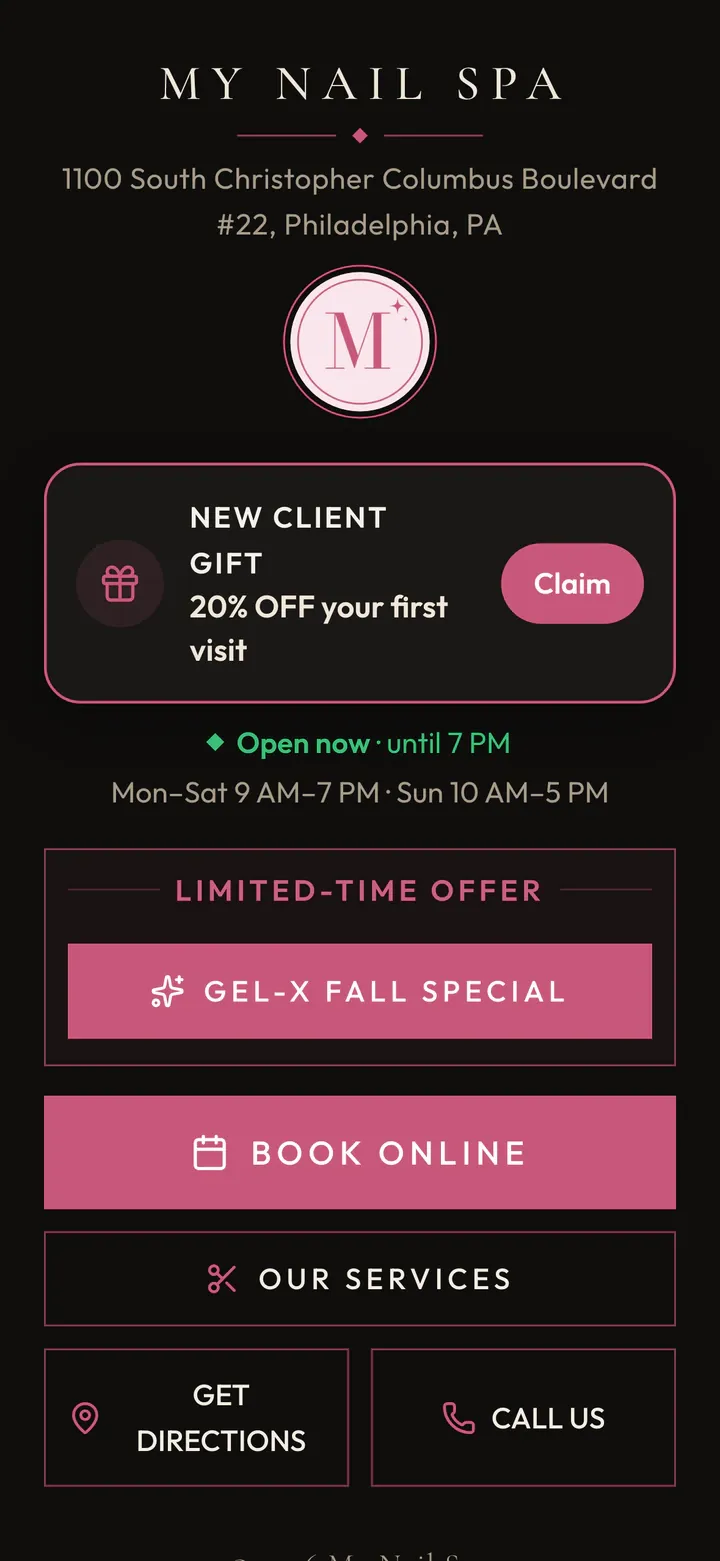
Your own booking website
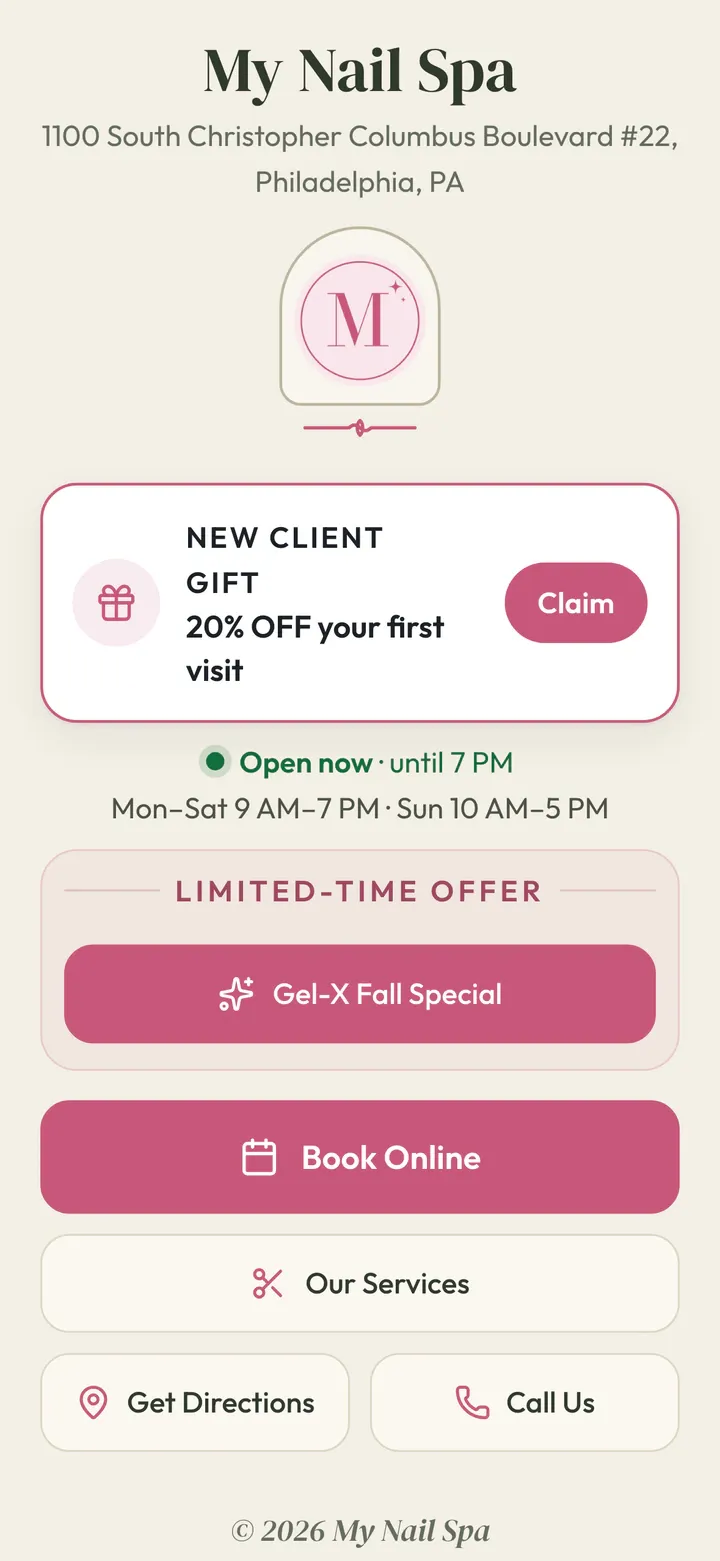
A Bio Page at your own web address, with your services, hours, Google stars and a big Book button. One link for Instagram, TikTok and Google.
New: every part of your salon, talking to each other.
See how it worksFor nail salons · Keeps your POS
Keep your POS for payments. Hayven runs the rest: online booking, check-in, turns, texts, marketing and Google reviews. Every part knows what the others know, so your front desk stops juggling screens and no client gets lost.
Nail salons across the U.S. run their booking on Hayven
Why Hayven is different
A POS for payments, with the booking page that came with it. A separate app for turns. Another one for marketing. Each does its own job, but none of them knows what the others know. So your front desk watches three screens and does the math in their head.
One client Jess, start to finish More 5-star reviews → higher on Google → more new clients
Brings them in. Your promo page and first-visit offer know who booked.
Jess: came from the Gel-X promo
Books exactly what they want. The booking knows which promo or offer brought them.
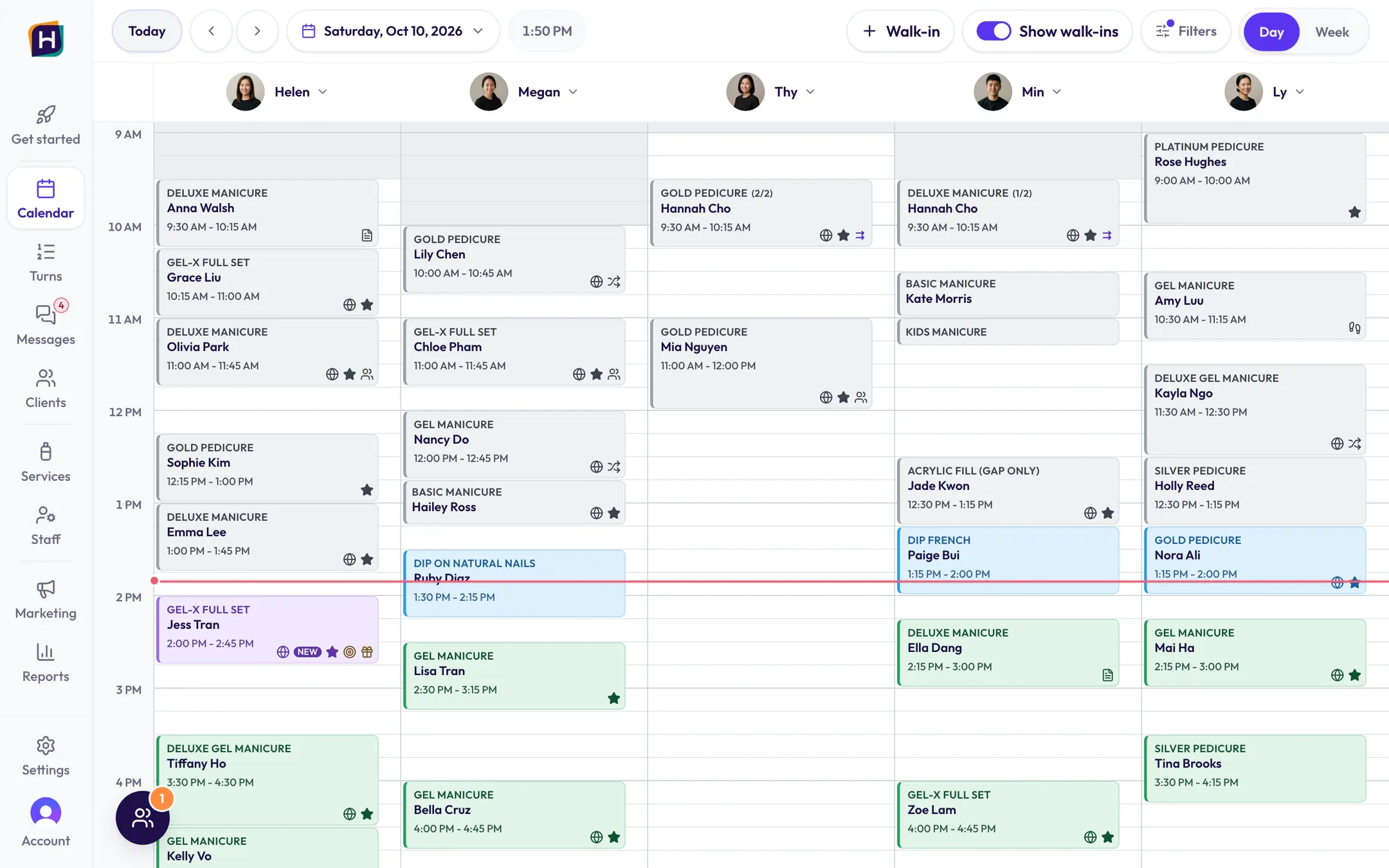
Jess: booked Gel-X with Helen, Sat 2:00 PM
Knows who just walked in. Who’s booked today, who’s new, who has an offer.
Jess: checked in, 20% first-visit offer
Gives the right tech. It knows the calendar, so a tech with a client coming up isn’t handed a long walk-in, and keeps her place in line.
Jess: Helen saved for Jess, Thy takes the walk-in
Asks after the visit. More 5-star reviews, higher on Google, more new clients.
Jess: review request sent after Done
Back to step 1: more clients
Your POS: rings up the ticket. That’s the only job it has left.
Do it once. It shows up everywhere.
See how it all connectsOnline booking
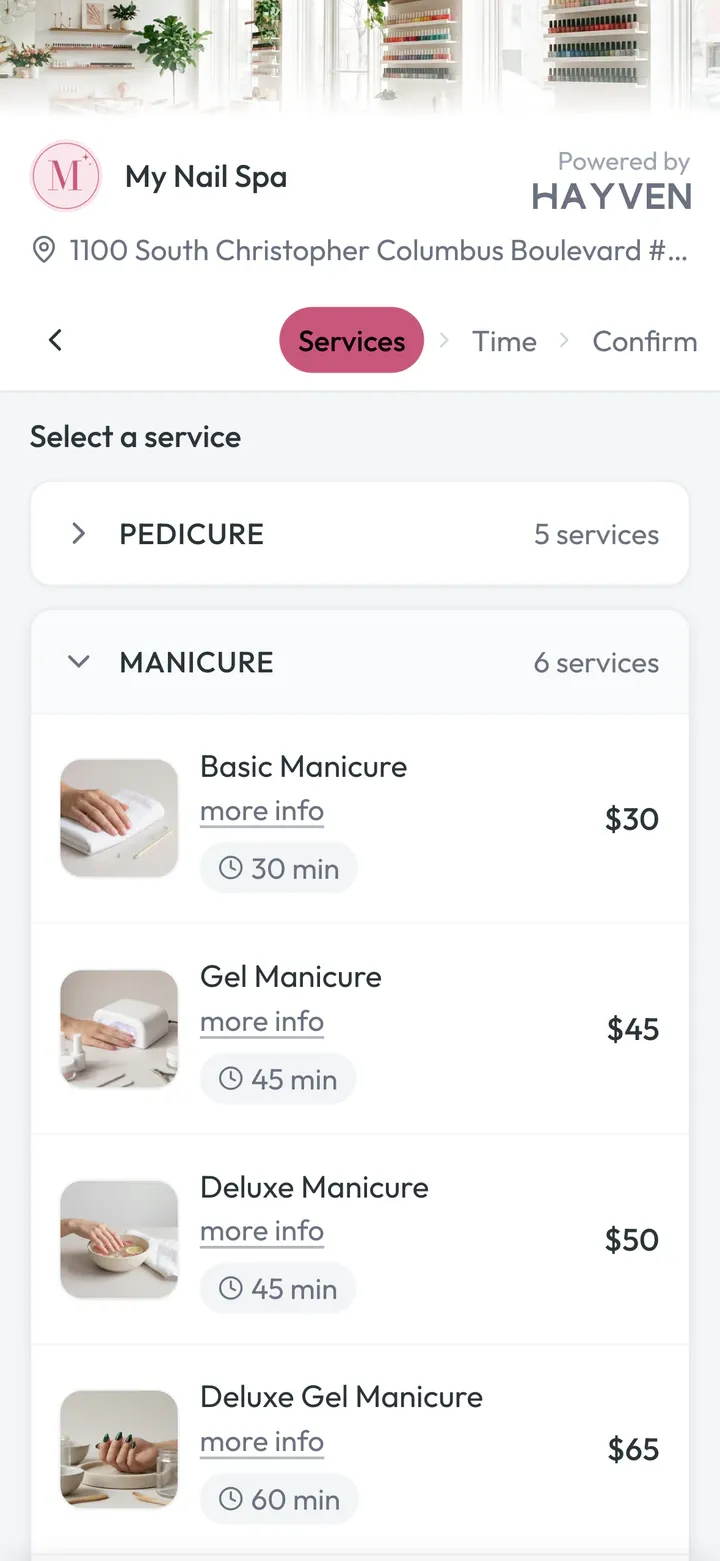
Nail clients don’t book “a manicure.” They book a gel manicure with French tips, with Helen, and a pedicure with Thy, maybe at the same time. Hayven’s booking page is built for that, and simple enough for clients who usually call.
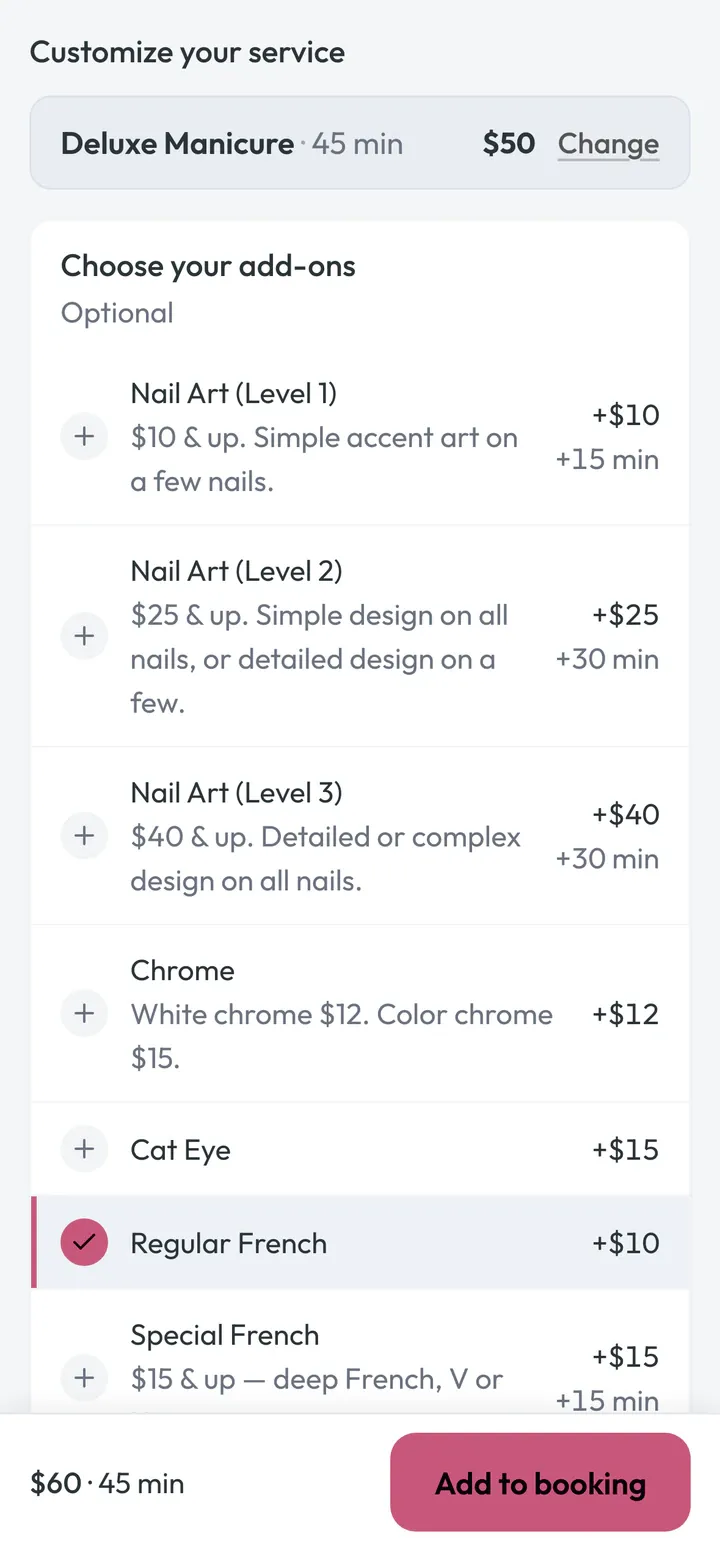
Add-ons for this service
Pick Deluxe Manicure and the next screen shows only manicure add-ons: French, Cat Eye, Chrome, nail art. Clients add them while they’re excited, and your tech sees the whole job before the client walks in.
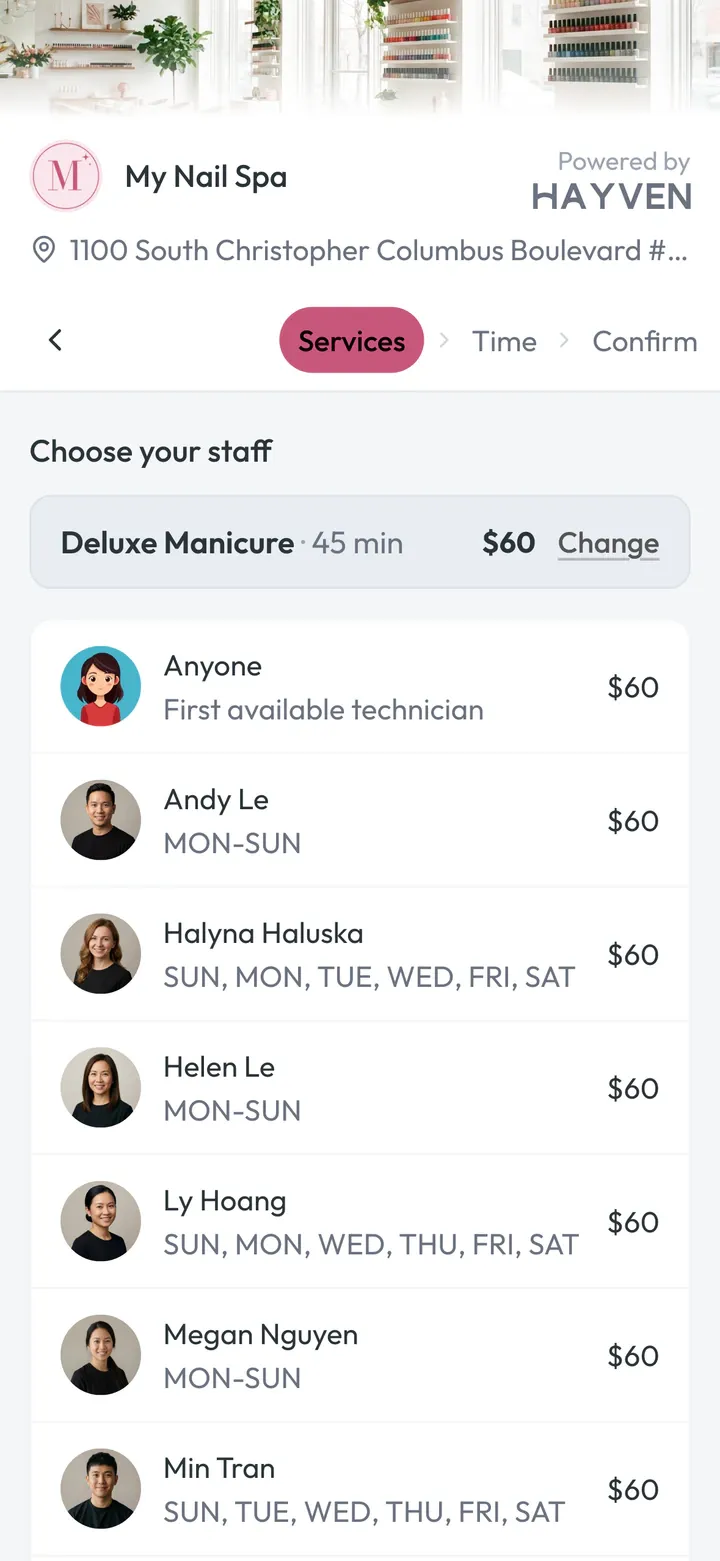
A tech for each service
Each service gets its own technician, or “Anyone.” A visit split between two techs can often start earlier, so you don’t lose the booking.
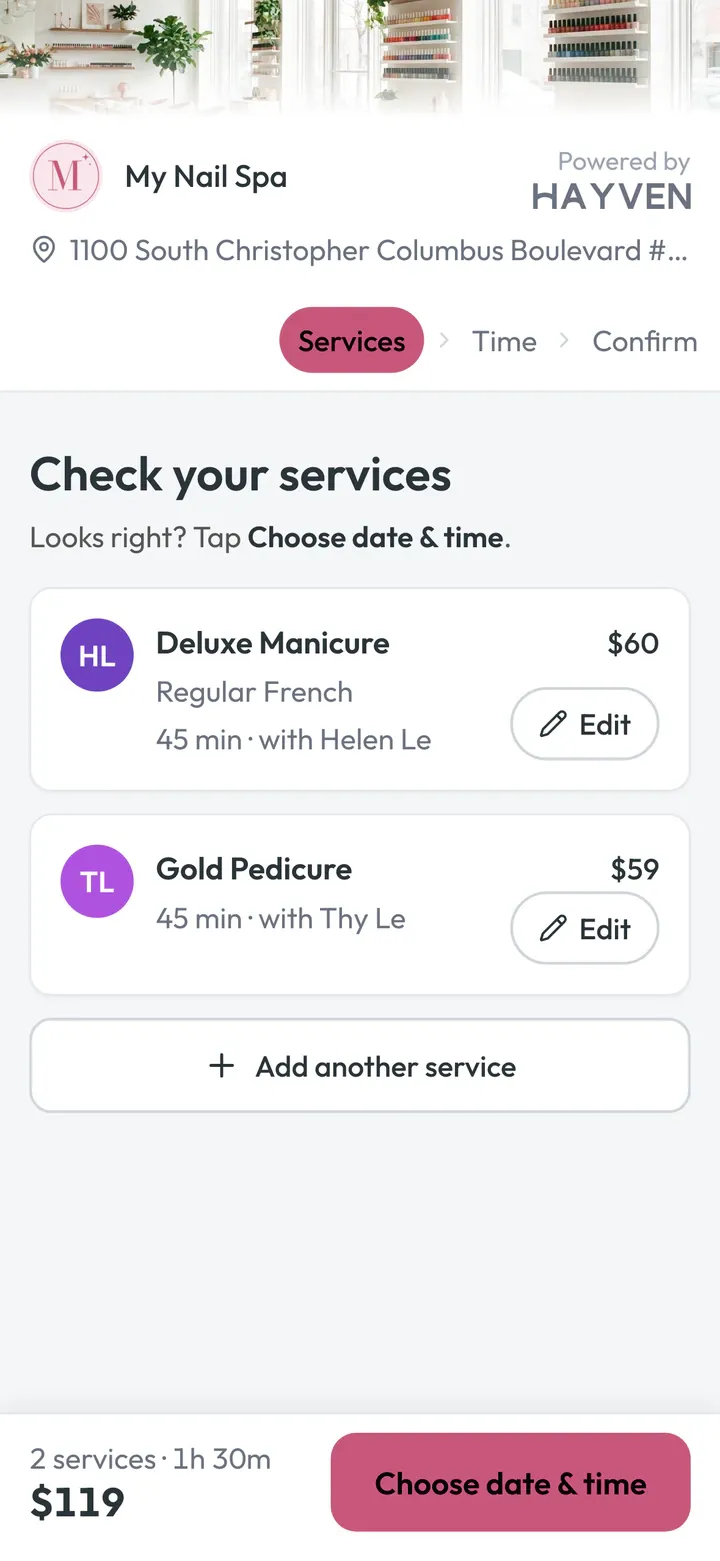
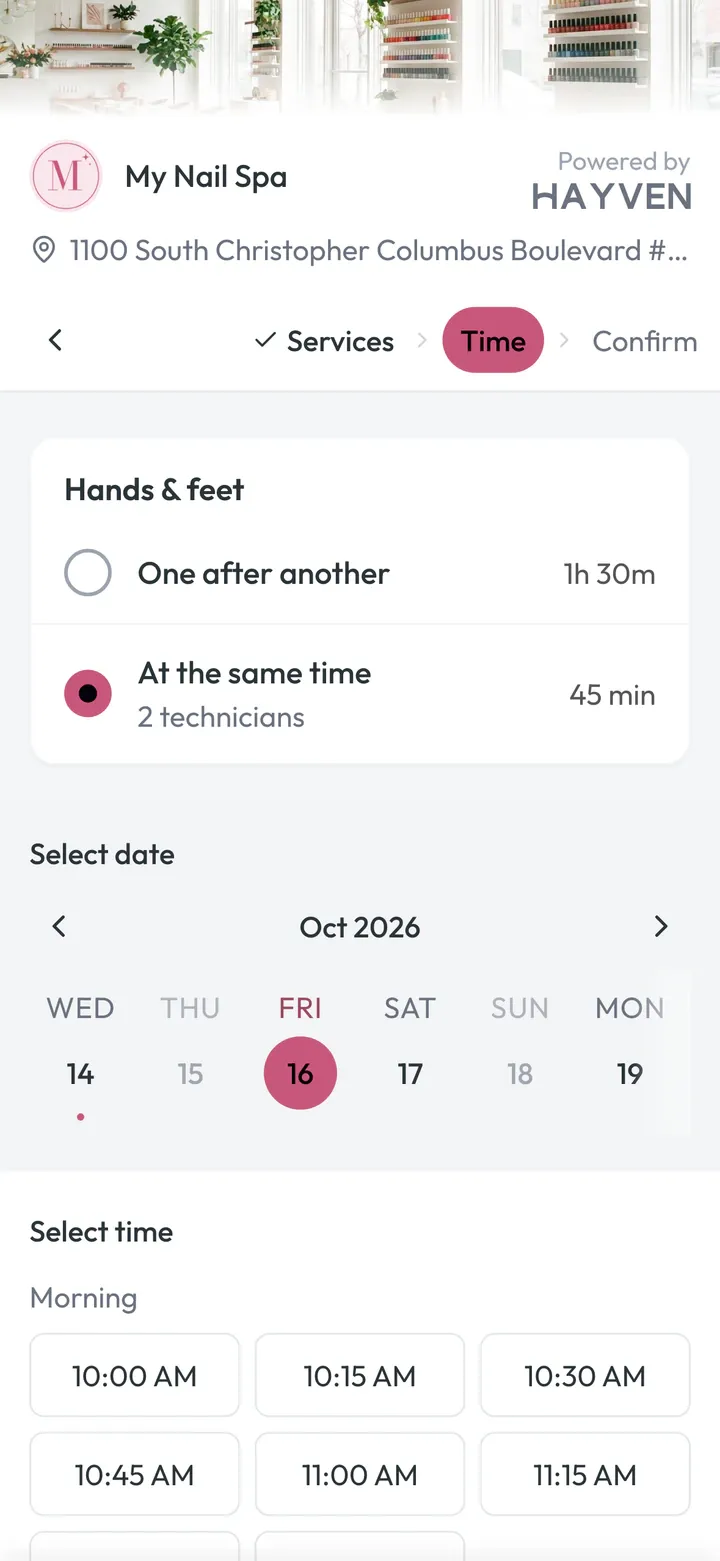
Hands & feet together
Clients can pick two technicians at once and be done much sooner. Check-in, the calendar and Turns all understand it, so nobody has to explain it at the desk.
Only real times
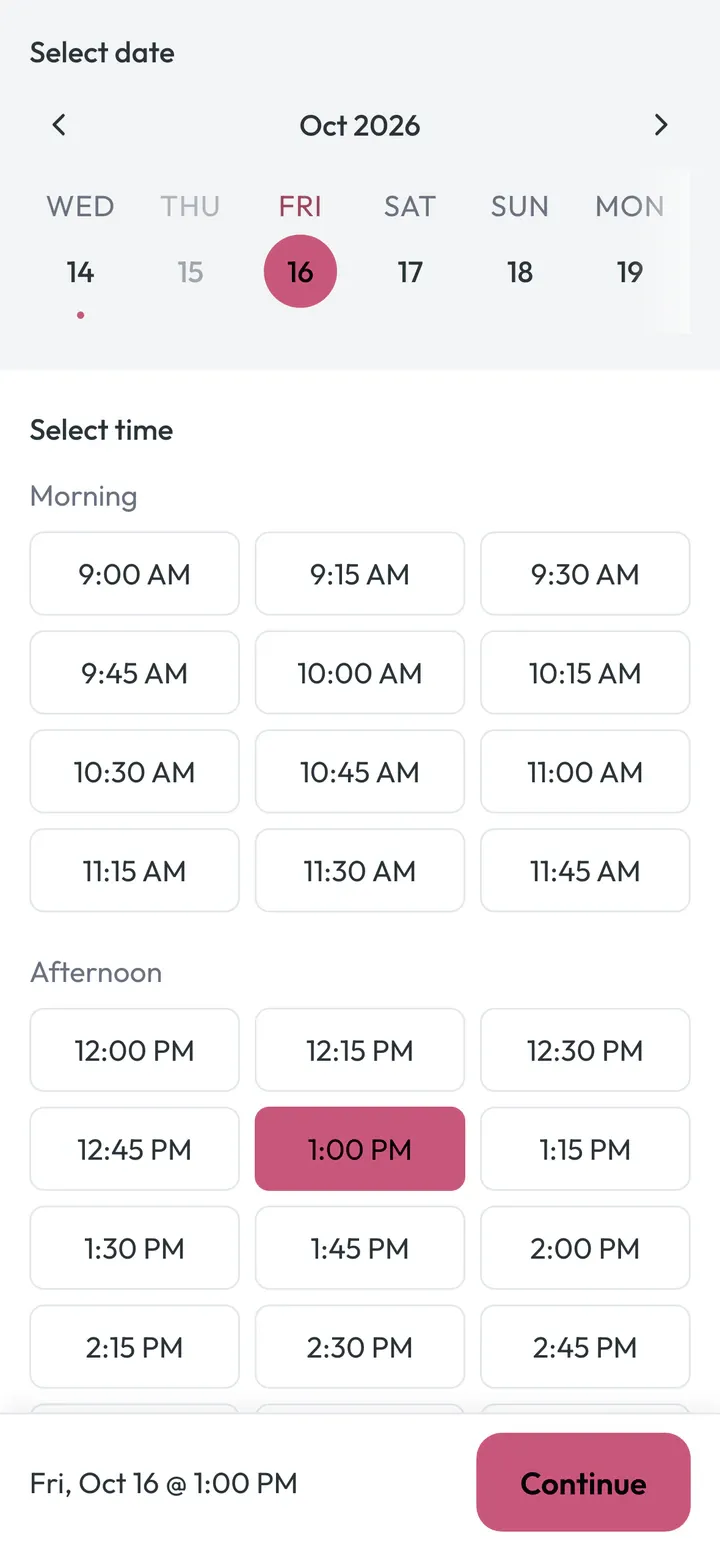
Closed days are grayed out. Hayven skips start times that would leave a gap too short to sell, and every booking lands in a real technician’s column. No double-booking, even when two clients tap Book in the same second.
No account
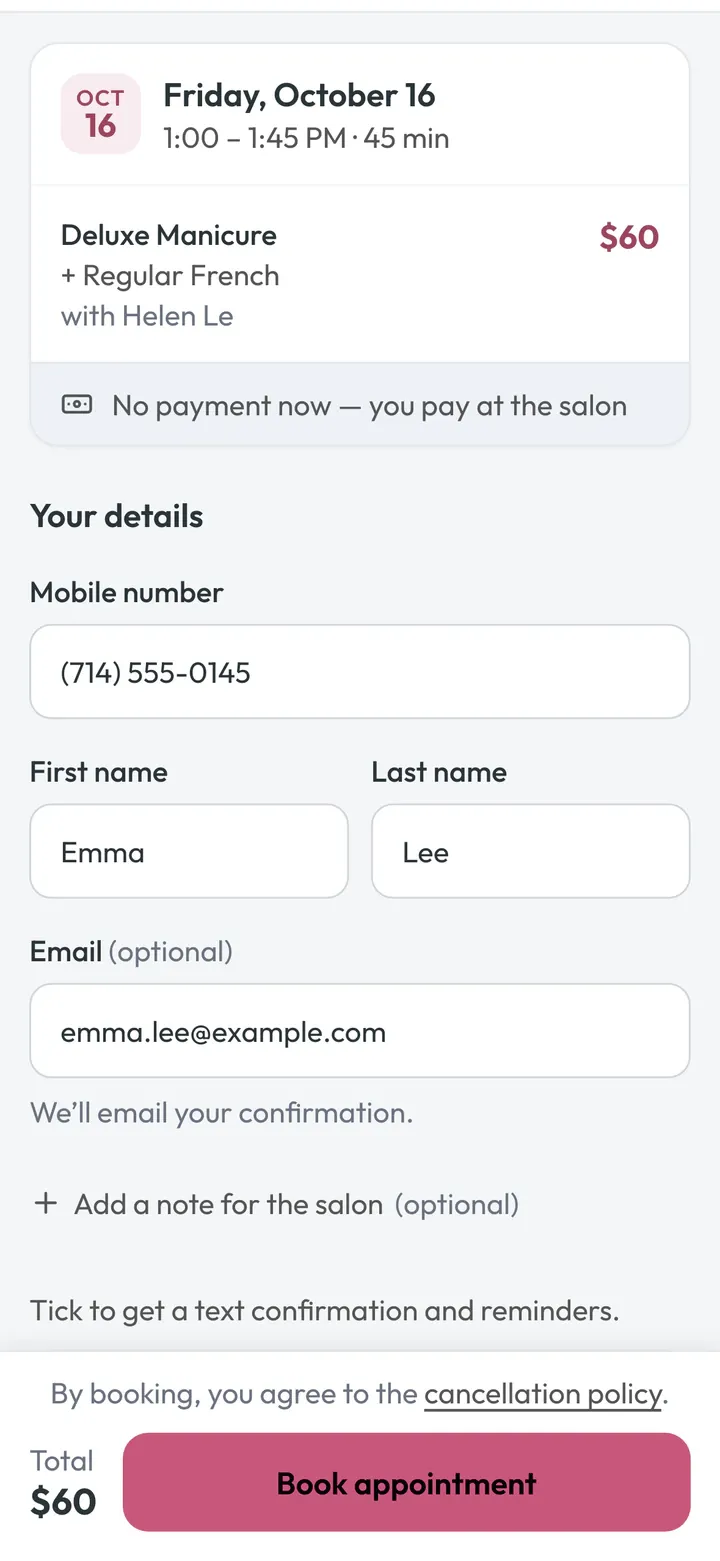
Name and phone, and they’re booked. Hayven matches the phone to their client profile, so every visit adds to one history. They get a link to reschedule or cancel on their own.
You choose which services can be booked at the same time and for groups.
The “Anyone” problem
On many POS booking pages, “Anyone” makes a pretend column: “Anyone 1,” “Anyone 2”… and on Saturday your techs are double-booked. Here’s Thursday night: four clients book Saturday at 1:00 PM online. Scroll to watch. Tap Next to watch.
Olivia books a pedicure at 1:00, with “Anyone.”
Typical POS: A pretend column called “Anyone 1” appears.
Hayven: Hayven books a real tech who does pedicures and is free: Helen. It’s marked “Anyone,” so it can still move.
Nancy books a gel manicure at 1:00, with “Anyone.”
Typical POS: Now there’s an “Anyone 2.”
Hayven: Nancy goes to Megan, who has the least booked time that day.
Tiffany asks for Helen at 1:00.
Typical POS: Helen looks free, so it goes through.
Hayven: Helen is only holding an “Anyone” client. Hayven quietly moves Olivia to Thy, same time, same price, and Tiffany gets Helen.
Kim books a manicure at 1:00, with “Anyone.”
Typical POS: “Anyone 3.” Four clients, three techs. Someone is double-booked.
Hayven: 1:00 is honestly full. Kim sees the next open time: 1:45 with Megan.
Saturday, 12:58. Olivia checks in.
Typical POS: The desk checks the turn app, then fixes the calendar by hand.
Hayven: She booked “Anyone,” so her ticket offers the pedicure to whoever’s turn it is right now. Your desk checks it and taps Start, or keeps Thy.
Every “Anyone” booking goes to a real, qualified technician the moment it’s made, spread fairly across your team. Up to two hours before the visit, Hayven can still move it, so a regular who asks for that tech gets them. No pretend columns. No surprise double-bookings.
Smart scheduling is always on. Hayven skips start times that would leave a gap too short to sell, and keeps a client’s services with one technician when it can.
See how Hayven picks the technicianThe calendar
Every card tells the story: who booked online, who’s new, who asked for their tech, which promo brought them in, who has an offer. Your desk knows how to treat each client before they walk in.
Done and No-show, one tap each. No checkout screens. Your POS already does that.
The ticket, ready to ring up. Services, techs and menu prices, with a Copy button.
Forgot to tap Done? The visit closes itself 30 minutes after it ends, so the review request still goes out.
Finished early? Tap Done and the rest of that time goes back on your booking page.
Drag to move. Groups and same-time pairs move together.
Every screen updates by itself. A booking made on a client’s phone shows up on your calendar right away. No refresh.
Check-in
Put Hayven on the iPad you already have, or print a QR poster. Clients type their phone number, and Hayven already knows who they are.
The check-in iPad greets Jess by name and shows her 2:00 PM Gel-X Full Set with Helen. It also welcomes back regulars and asks new clients what to call them.
No hardware to buy. Your own iPad, a printed QR poster, or the check-in link we text 15 minutes before.
Families on one phone? Tap everyone who’s here, and they check in together.
The first-visit offer applies itself, with a live screen a screenshot can’t fake.
Walk-ins choose what they want today, and who they’d like, from the techs working right now.
Turn tracker
With a separate turn app, your desk checks the turn list, then the appointment book, then the check-in screen, and does the math in their head. Ly is next, but does she have a client at 2:15? Is Jess here yet? Hayven already knows, so it can suggest the right tech.
1Suggest
Turns
Waiting · 1
Who should take it?
Why Thy
2Start
My Nail Spa
Gel-X Full Set with Thy · Sat
Tap Start. Thy’s turn is counted, the walk-in appears in Thy’s column on the calendar, and 2:15 with Thy disappears from your booking page.
Do it once. It shows up everywhere.
Fair by your rules. Fewest turns goes next. Ties go to whoever signed in first.
Knows who’s booked. A tech with a client coming up isn’t handed a long walk-in, and keeps her place in line.
Only the right hands. Only techs who do every service the client wants.
“Anyone” clients, shared fairly. Online “Anyone” bookings go to whoever’s turn it is when the visit starts.
Requests counted your way. Requested clients are starred automatically. You choose how they count: a full turn, half, or none.
Real salon life, built in. Hands and feet at the same time, a different tech for each service, walk-ins added at the desk.
Your desk has the last word. Check the suggestion and tap Start, or pick someone else.
Texts & calls
The phone always rings in the middle of a pedicure. Hayven rings up to three of your phones at once, shows who’s calling, and if nobody can pick up, texts the caller right away.
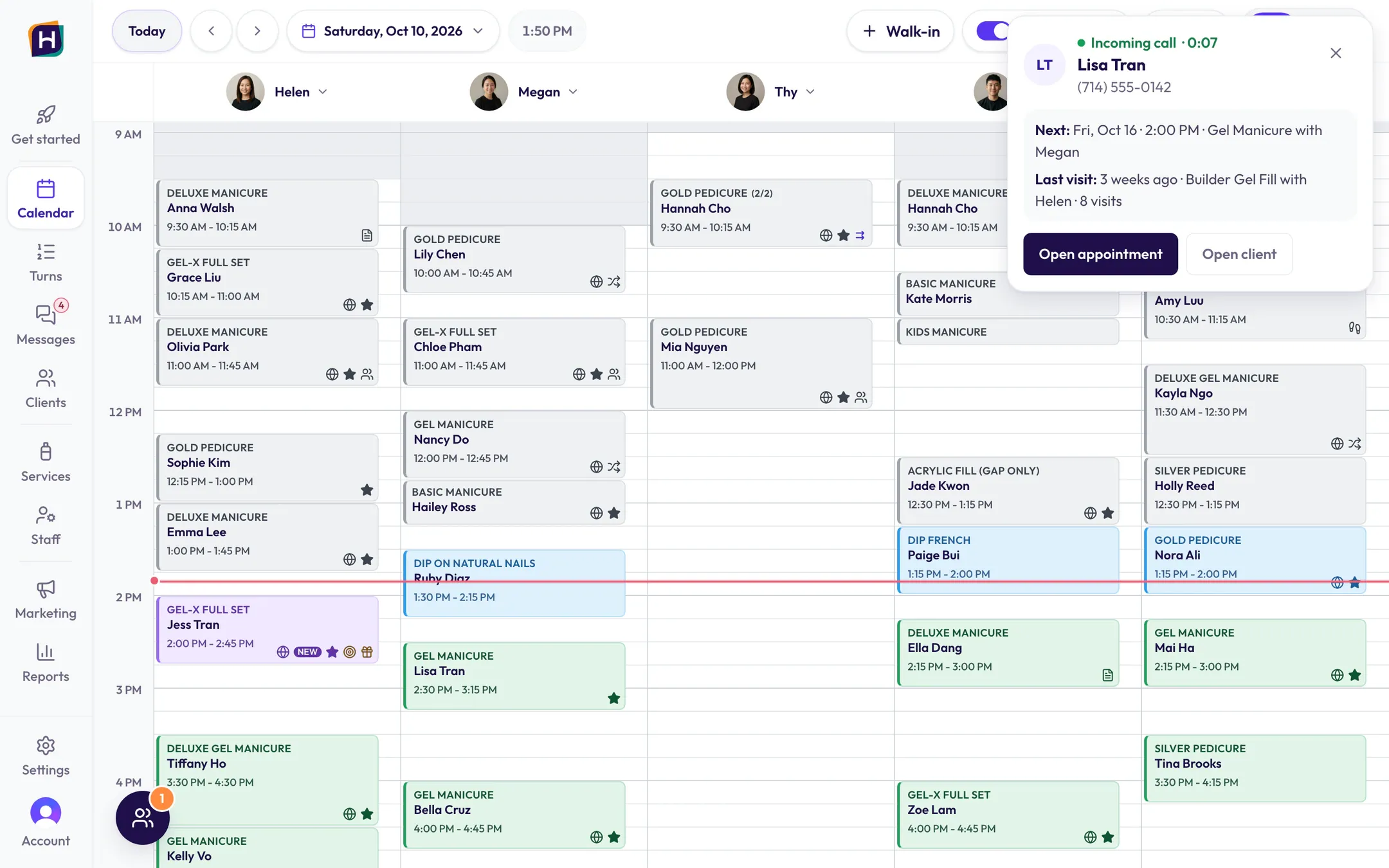
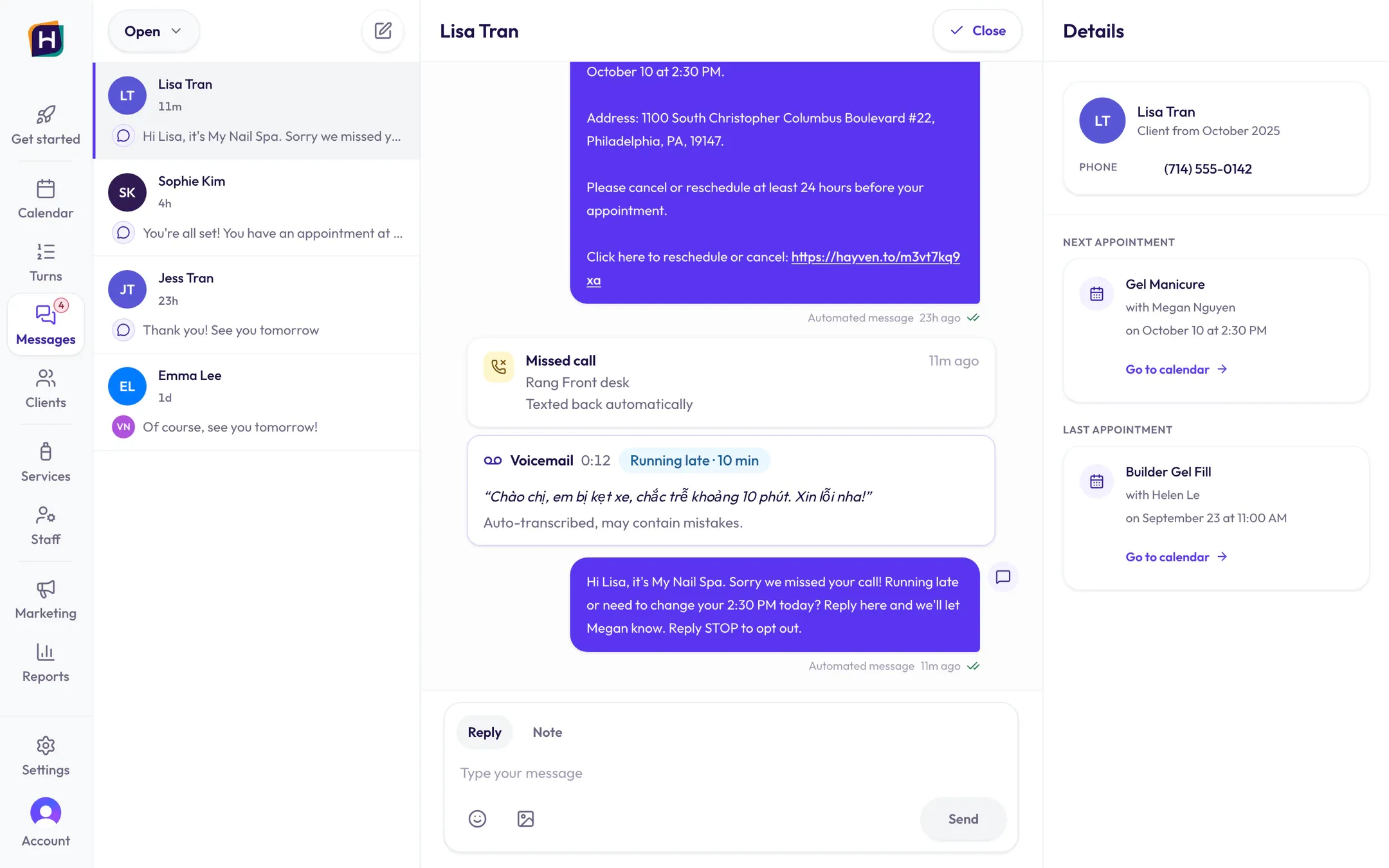
All your phones ring at once. Your phone says “Hayven call from Lisa Tran” before you answer.
Your screen shows who’s calling, with her next appointment and her last visit.
Missed it? She gets one text right away. If her 2:30 is coming up: “Running late or need to change your 2:30?” If she’s booked in the next two weeks: her booking and a link to change it. If not: your booking link.
Voicemails, written out. In the language she spoke, with a short English summary like “Running late · 10 min.”
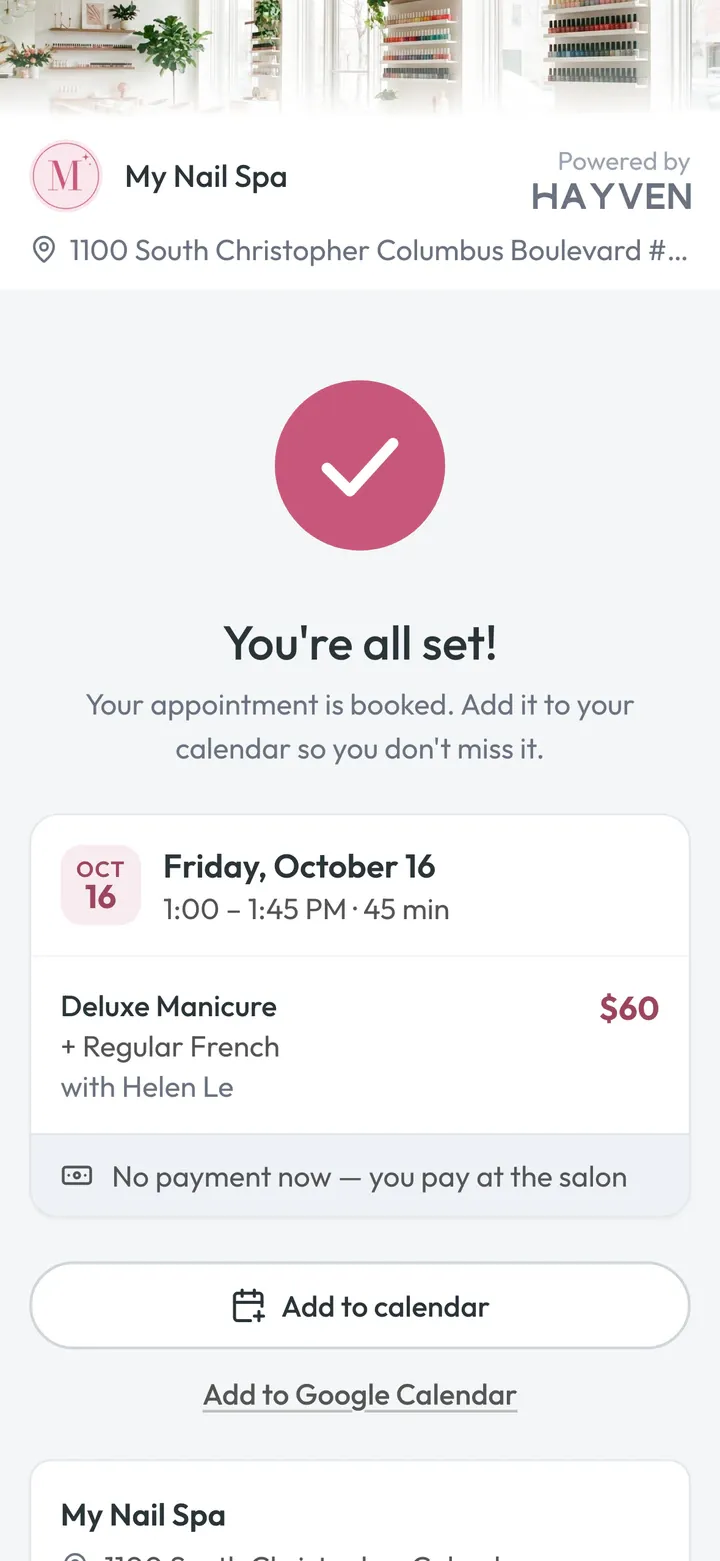
Right after booking Confirmation, with a link to reschedule or cancel.
2 days, 1 day, a few hours before Reminders they can act on. Never before 9 AM.
15 minutes before A link to check in from the parking lot.
About an hour after Done A Google review request. Never twice in 90 days, and never once they’ve reviewed you.
Marketing
Most marketing software stops at clicks. Hayven’s marketing lives with your calendar, so you see who booked, who came in, and what they spent at your menu prices. Not a marketer? You don’t need to be. Our team runs it for you, marketing texts included.
A Bio Page at your own web address, with your services, hours, Google stars and a big Book button. One link for Instagram, TikTok and Google.
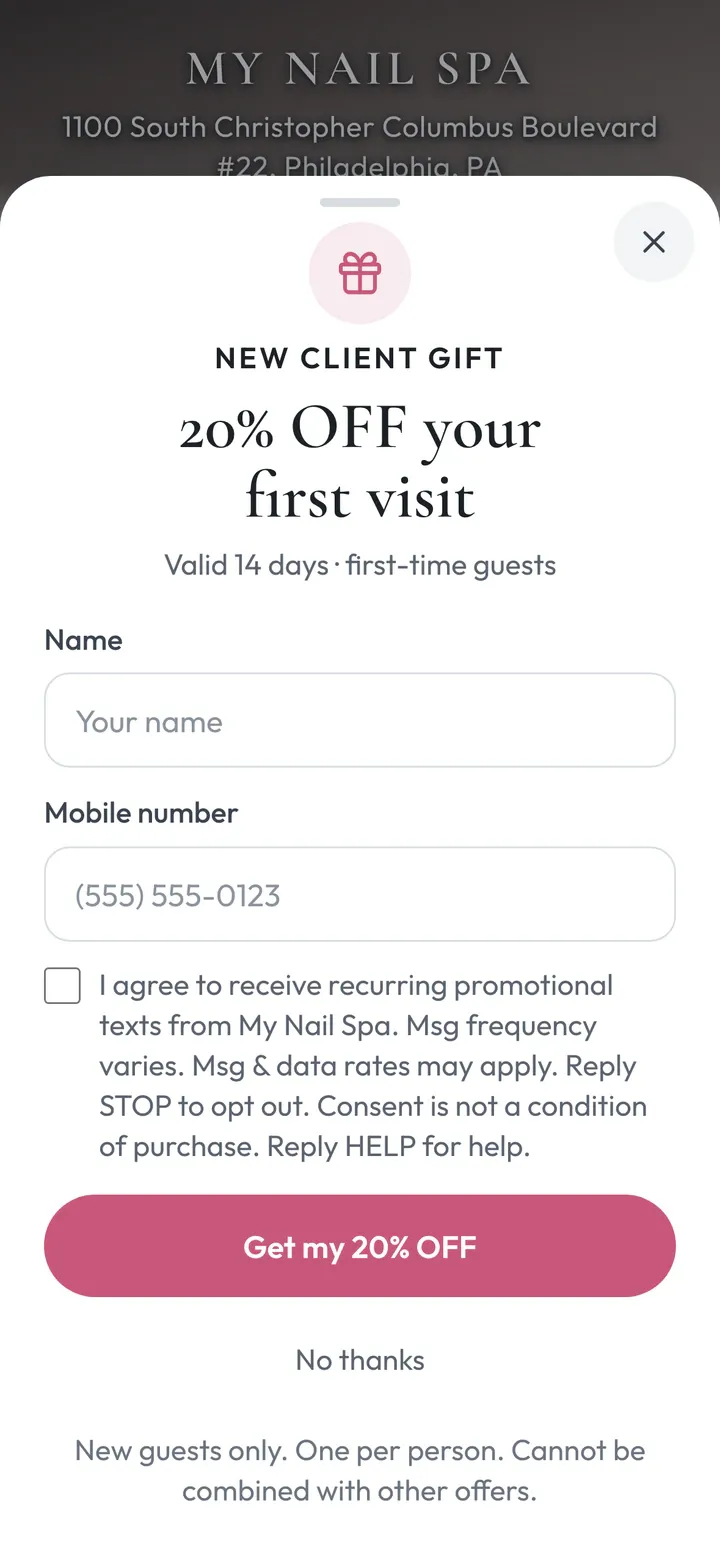
A first-visit gift regulars can’t fake. And a personal invite link for every client: when a friend comes in, your client gets $10 off their next visit, on its own.
See how it worksA page for every promo, with a sign-up form and friendly follow-up texts that stop the moment they book.
Hayven knows if a client came from a paid ad, a post, your Bio Page or a DM, brings in your ad spend, and shows what each promo earned at your menu prices.
A review request after the visit, and replies written for you.
A weekly map of where you show up, profile fixes you approve, and fresh photos posted for you up to twice a week.
Revenue is estimated from finished visits at your menu prices.
New clients, and their friends
Every client gets their own invite link. A friend who opens it gets your first-visit gift. When the friend comes in, your client gets $10 off their next visit, and your front desk sees it. No paper cards, no codes, no points to add by hand.
How Tiffany brings Olivia
ExampleThree days after her visit, Hayven texts Tiffany her personal invite link.
Tiffany’s phone shows the text from My Nail Spa: share 20% off a friend’s first visit, get $10 off for every friend who comes in, and her own link.
She taps Share on her invite page and sends it to Olivia by text or Instagram. Olivia sees Tiffany’s gift: 20% off her first visit.
Olivia’s phone shows the page from Tiffany’s link: “Tiffany sent you a gift. 20% OFF your first visit.”, a name and number form, and “Tiffany gets $10 off when you come in.”
Olivia books, then checks in on your front-desk iPad with her phone number, so Hayven knows she was really there.
The front-desk iPad greets Olivia, shows her 11:00 AM Gel-X Full Set with Megan, and says her 20% OFF New Client Offer applies to today’s visit.
Once Olivia has come in, Hayven texts Tiffany the good news. At Tiffany’s next visit, a heart on her appointment tells your desk: take $10 off at your POS.
Tiffany gets a text: Olivia just came in, and she now has $10 off her next visit. On the calendar, her next appointment has a heart, and its details say: take $10 off at your POS when Tiffany pays.
Why owners love it
Hayven knows every client by phone number. A friend who has been in before, or a client using their own link, never earns a reward. And Tiffany’s $10 only comes after Olivia has really been in your salon.
No codes, no points cards. The reward waits on Tiffany’s next appointment. Take it off at your POS, press Done, and it’s marked used.
It starts at $10 off. Rewards add up, so two friends means $20 off. Each one lasts 90 days.
Invites go only to clients who said yes to marketing texts, at most once every 90 days. A client who recently left you a low Google review isn’t asked. Hayven never texts a friend who didn’t sign up.
Friends who signed up, came in, and what their visits were worth.
| Client | Friends came in | Reward | Last friend |
|---|---|---|---|
| Nancy | 2 | $20 ready | Oct 8 |
| Tiffany | 1 | $10 ready | Oct 11 |
| Rosa | 1 | $10 used | Sep 27 |
Every feature
Every feature below talks to the others. Tap one to see how it works.
We’ve got you
Your part takes about an hour.


Walk us through your menu, technicians, and hours, or just send photos of your menu.
Services, add-ons, technicians, turn rules, check-in, your booking page and your Bio Page, in your colors.
On Google, Instagram, and your website, and you’re live.
FAQ
No. Keep your card terminal, merchant rates and hardware. Hayven doesn’t plug into your POS, and doesn’t need to: you tap Done in Hayven and ring up the ticket at your POS. Hayven even hands you the ticket to copy.
No. You can start with online booking and the calendar, then add check-in and turns when you’re ready. Each part you turn on starts talking to the others right away.
No. Use the iPad you already have, print our QR poster, or let clients tap the check-in link we text them.
It checks what your best front desk would: who has the fewest turns, who does every service the client wants, who’s free now, and who can finish before their next booking. Your desk sees why, then taps Start or picks someone else.
Yes. You choose how many turns each service is worth and how requested clients count: a full turn, half, or none.
Hayven books a real technician who does that service and is free, and spreads “Anyone” clients fairly. If someone asks for that tech later, Hayven can move the “Anyone” client to another free tech at the same time and price. With Turns, your desk can give it to whoever’s turn it is when the visit starts.
Yes, when you turn it on. Clients choose “At the same time” and get two technicians at once. Check-in, the calendar and Turns all understand it.
No. They book from a link with their name and phone number. Hayven remembers them by phone, so their history stays in one place.
The caller gets one text right away: a quick “running late or need to change?” note if their visit is coming up, their booking and a link to change it if they’re booked in the next two weeks, otherwise your booking link. Voicemails are written out for you.
We do. It takes about an hour of your time on one call. Our team sets up the rest: services, add-ons, technicians, turn rules and your booking page.
Yes, as an optional add-on. Our team runs your Bio Page, promos, ads, first-visit offer, Refer a Friend and Google profile, and you see the results in visits, not clicks. Marketing texts are included.
We’ll walk you through pricing on your demo, with your own menu and team size. Questions before that? Call or text (866) 970-6888, in English or Tiếng Việt.
Tell us a little about your salon. A real person from our team will reach out within one business day, in English or Tiếng Việt, to show you Hayven with your own menu.
Our demo form needs JavaScript. You can also call, text, or email us and we’ll set it up: